# openwrt
version: 24.10.0
# install
# config
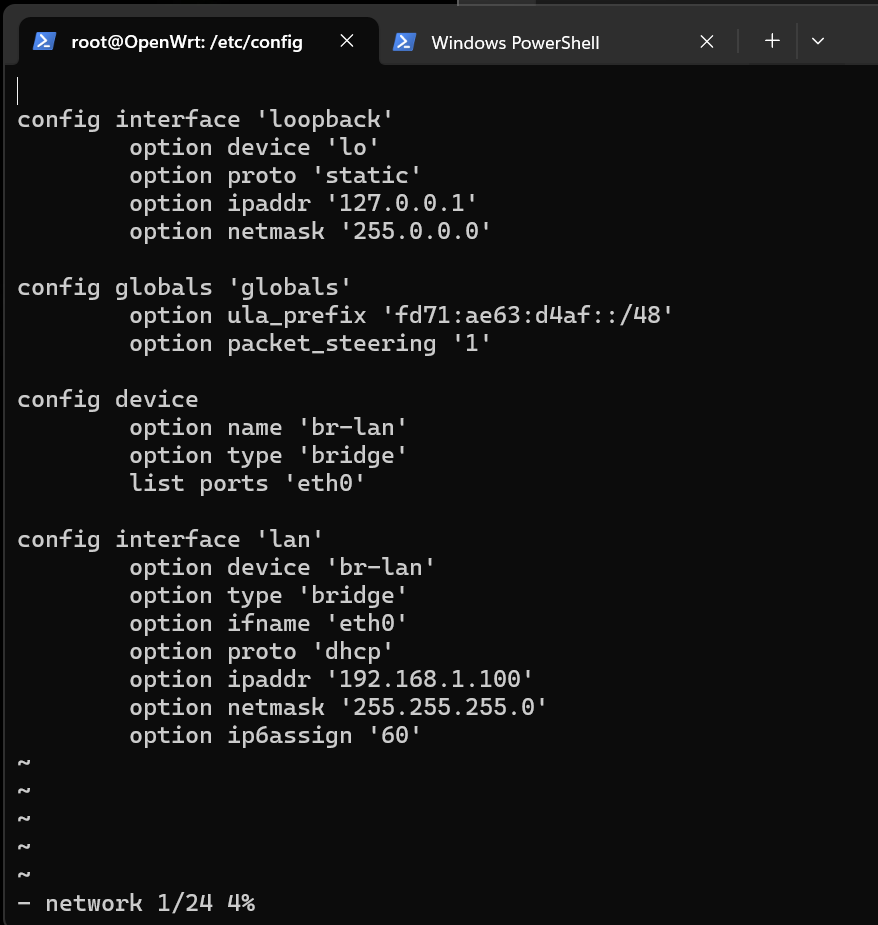
my switch ip is 192.168.1.1
# expand
opkg install cfdisk fdisk
cfdisk /dev/mmcblk0
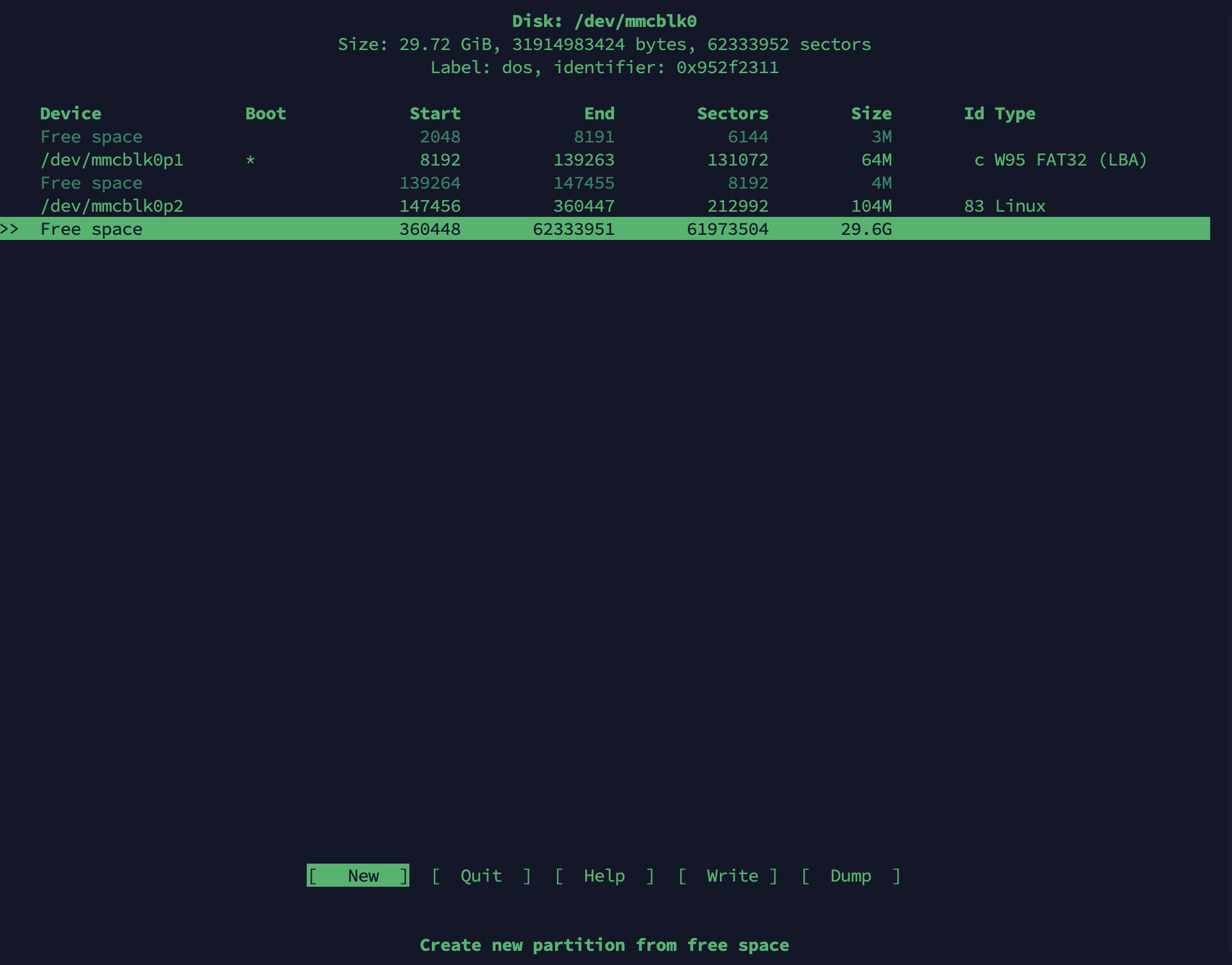
new > primary > write > yes > quit
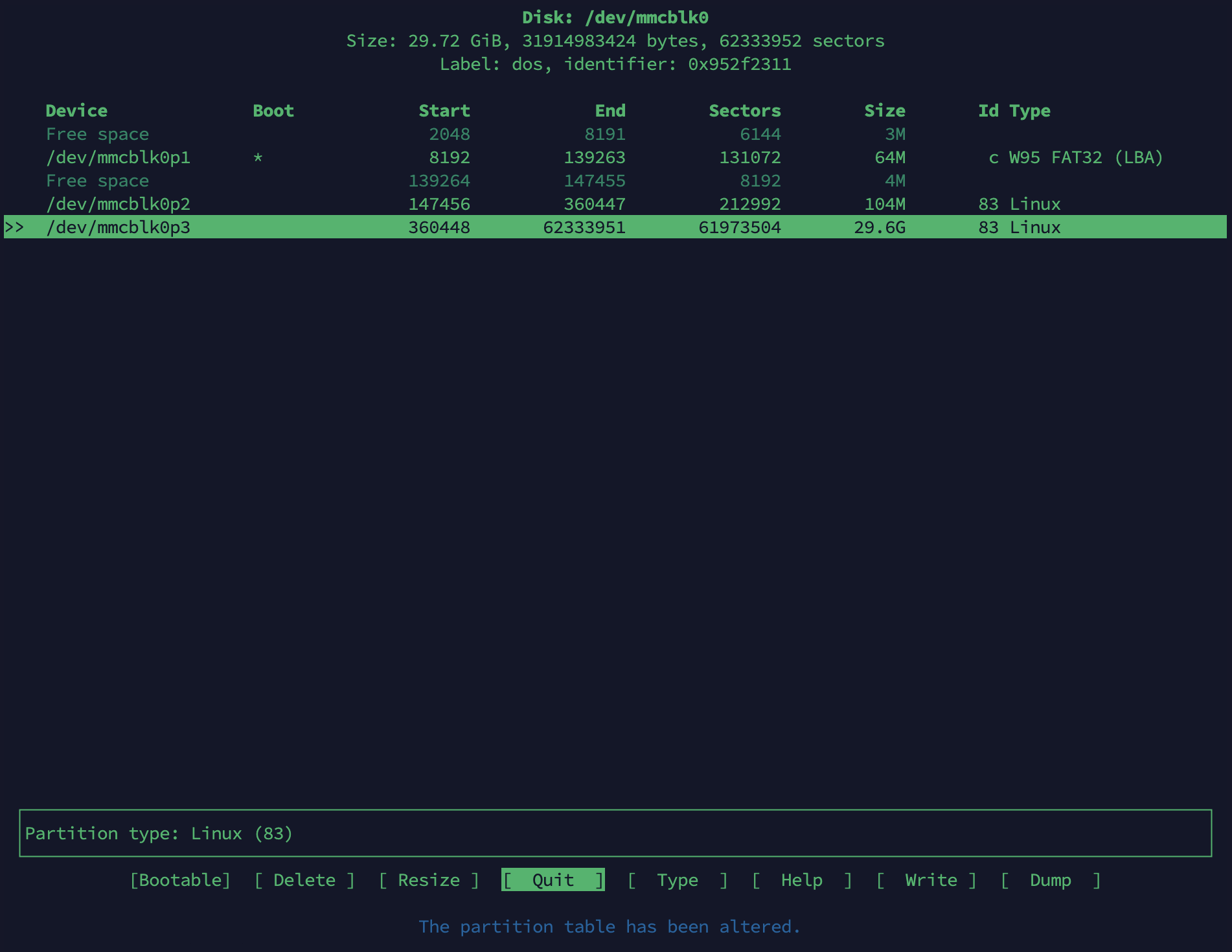
fdisk -l

mkfs.ext4 /dev/mmcblk0p3
if your OS is from official, you can not find mount points select in system
opkg install block-mount
installed and reboot, you will find mount points
select your create disk and click edit
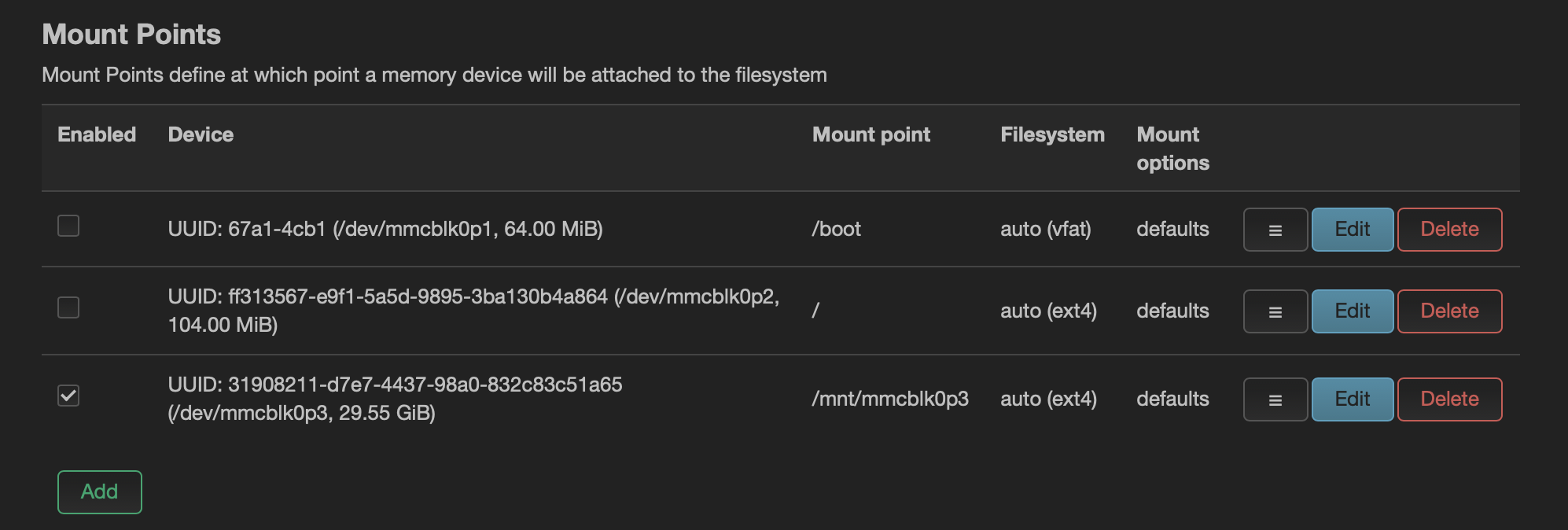
selected Enabled
selected Use as root filesystem
save & apply
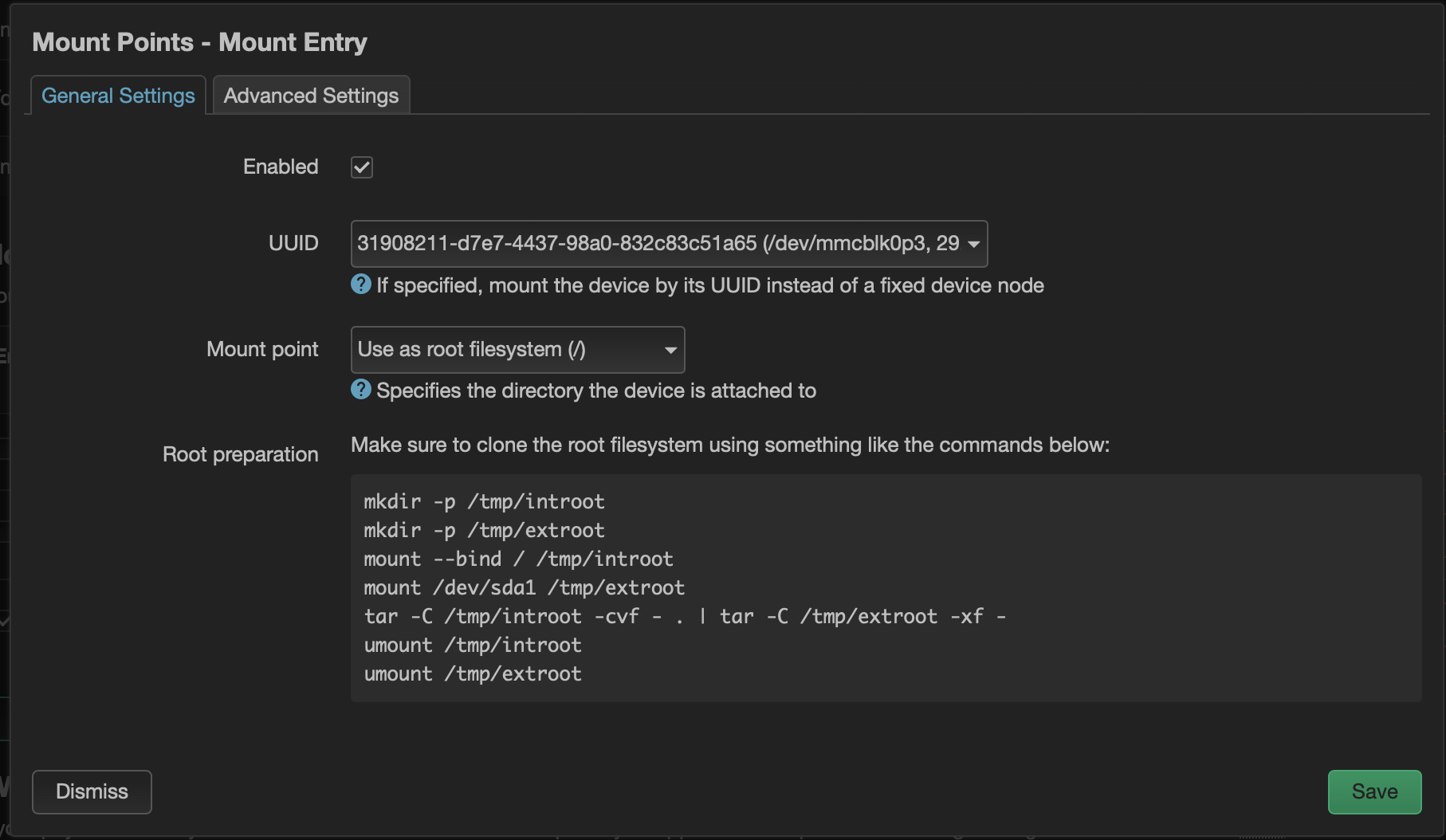
mkdir -p /tmp/introot
mkdir -p /tmp/extroot
mount --bind / /tmp/introot
mount /dev/mmcblk0p3 /tmp/extroot # my path is /dev/mmcblk0p3
tar -C /tmp/introot -cvf - . | tar -C /tmp/extroot -xf -
umount /tmp/introot
umount /tmp/extroot
reboot
# v2ray
opkg install v2raya luci-app-v2raya v2ray-geoip v2ray-geosite
reboot
services > v2rayA click Open Web Interface
create your username and password
open setting
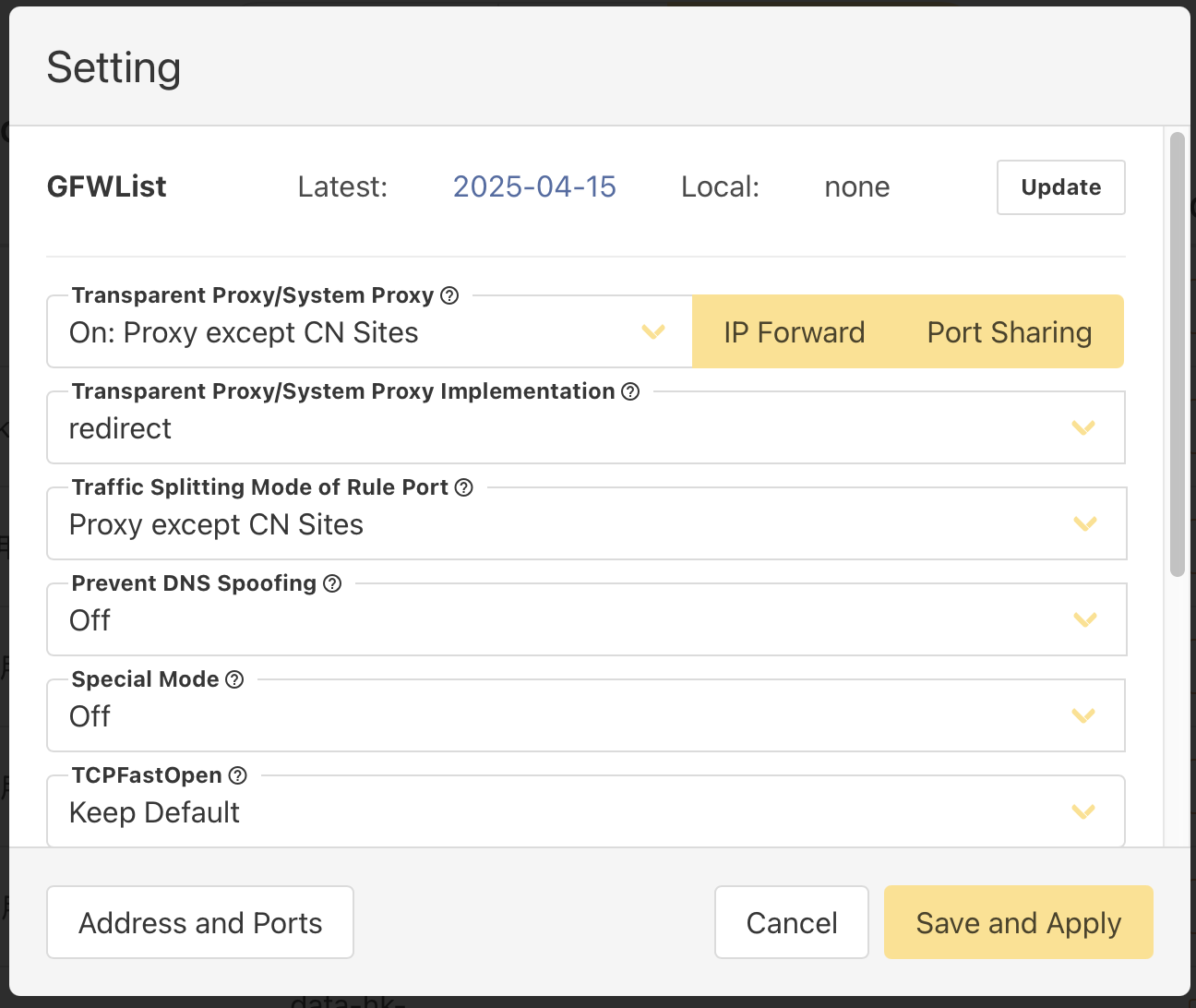
take your phone and set a proxy
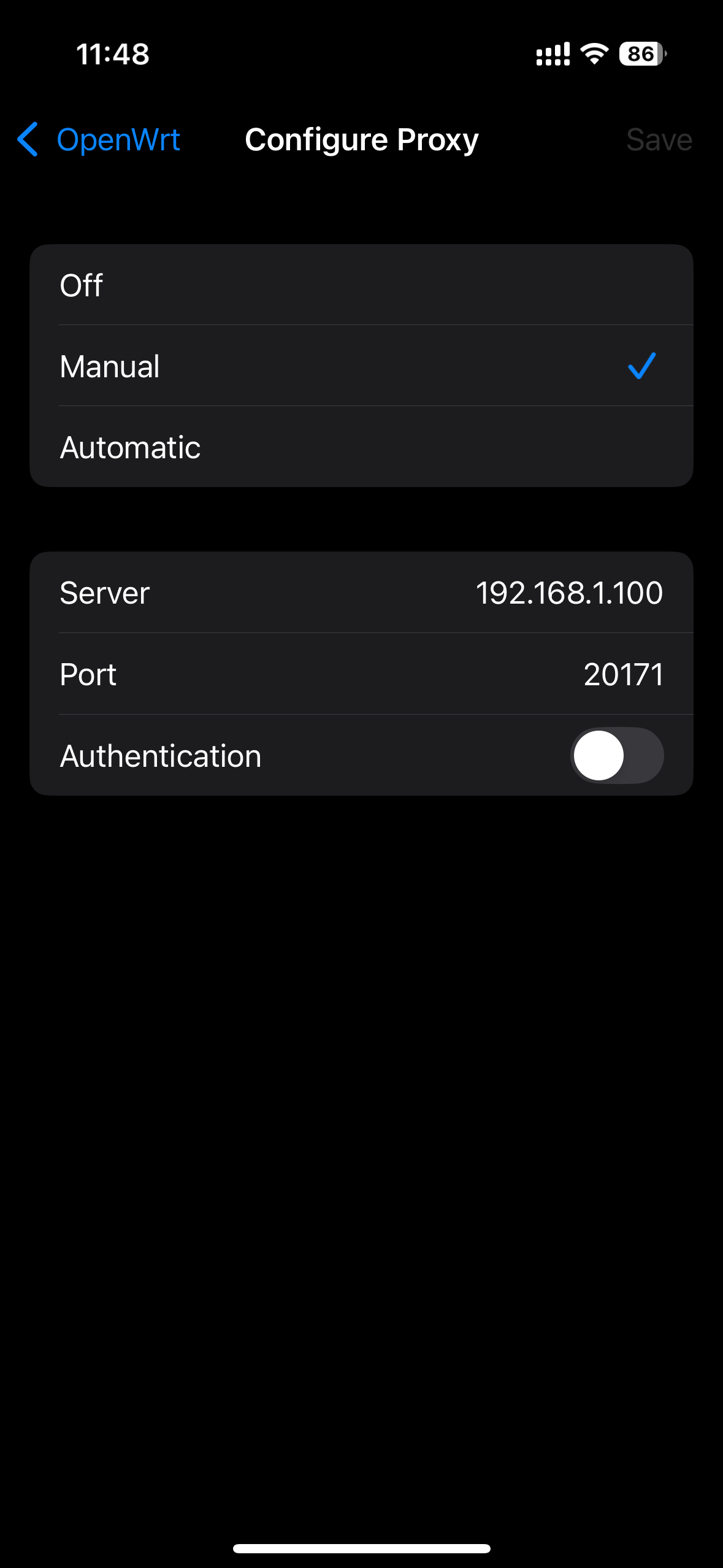
# adguard
opkg install adguardhome
Status > System Log search adguardhome in logs
you will seen 80, 53 port bind fail, bind 3000. open it http://192.168.1.100:3000/
change web and dns port that you haven't used. as 3000 and 3053
Network > DHCP and DNS > Forwards DNS Forwards add value 192.168.1.100#3053
save & apply
# other
Firmware downloads (opens new window)