# Model Context Protocol (MCP)
# example
# Cline
version: 3.11.0
- open vscode and install cline extension
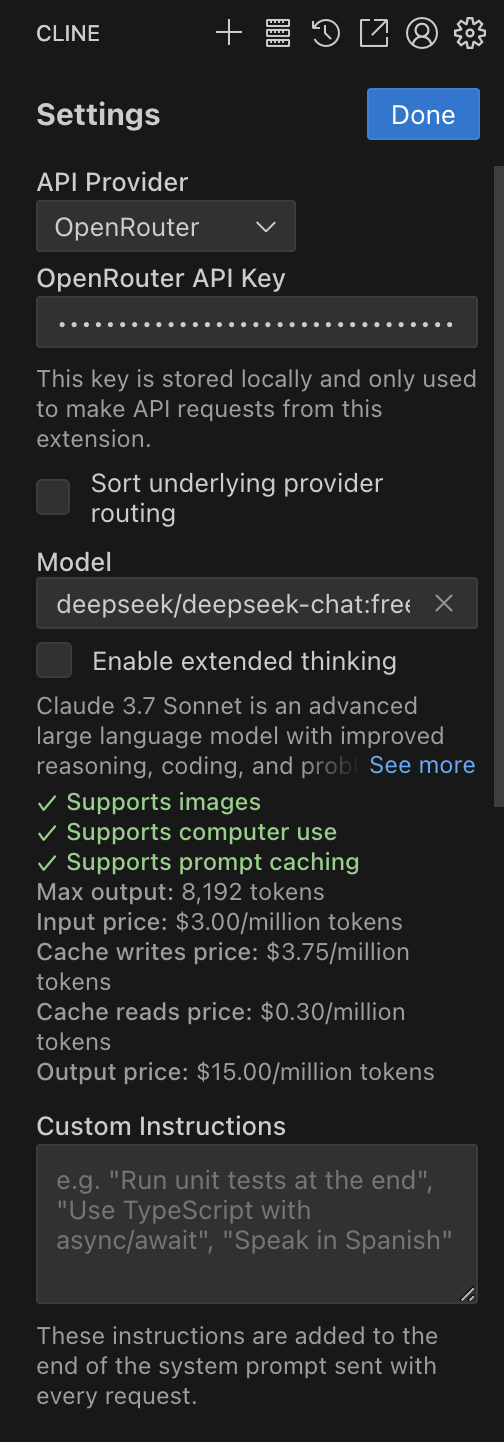
- open Cline setting,
API ProviderchooseOpenRouer Modelchoosedeepseek/deepseek-chat:free- click
Get OpenRouter API Key(if you have)
- test it
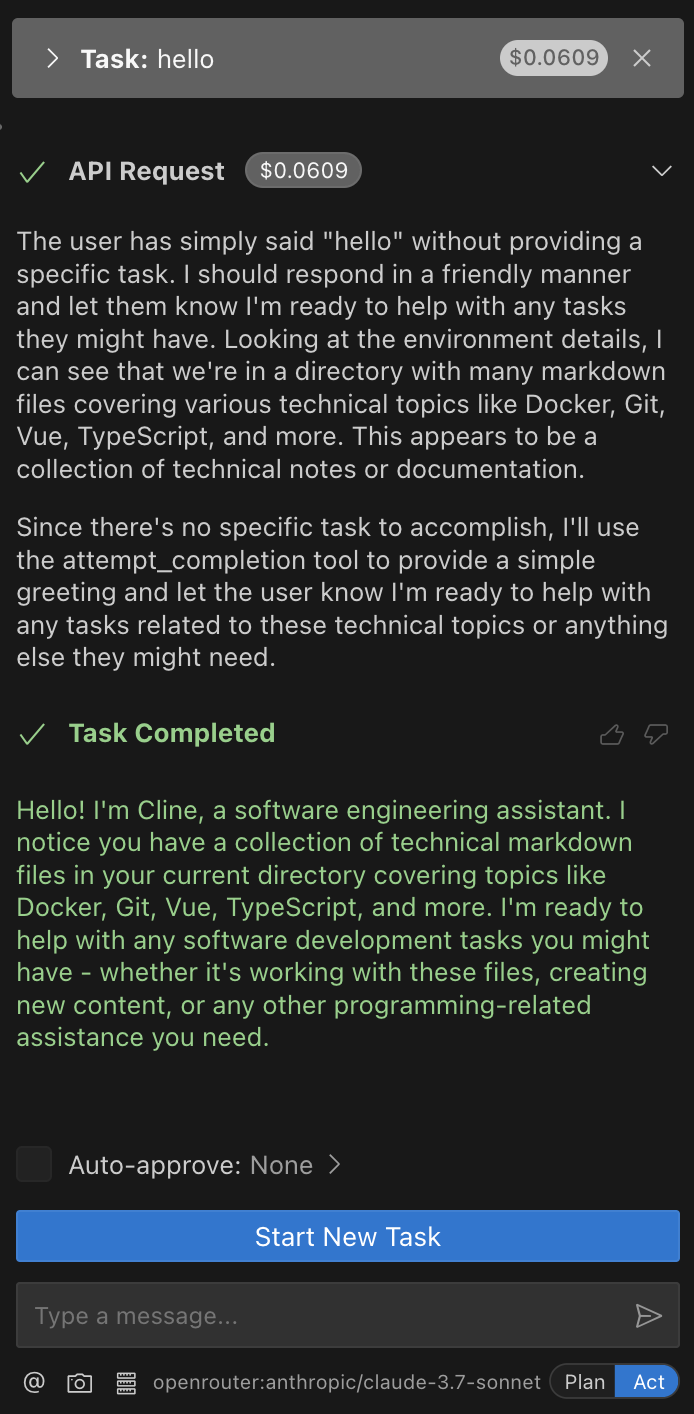
- click
MCP Serversfindtimeand install - open new terminal
pip install mcp-server-time - it will create
cline_mcp_settings.json
# cline_mcp_settings.json
i used conda, so maybe the command string is different
{
  "mcpServers": {
    "github.com/modelcontextprotocol/servers/tree/main/src/time": {
      "command": "/opt/anaconda3/envs/mcp_time/bin/python",
      "args": ["-m", "mcp_server_time", "--local-timezone=Asia/Shanghai"],
      "disabled": false,
      "autoApprove": []
    }
  }
}
# what kind of protocol?
we need ai-gateway of cloudflare
- dash > AI > AI Gateway > create new one
- click this that it is your created and find
APIbutton - Platform select
OpenRouer& copyAPI Endpointurl - go back your Cline setting and fall it
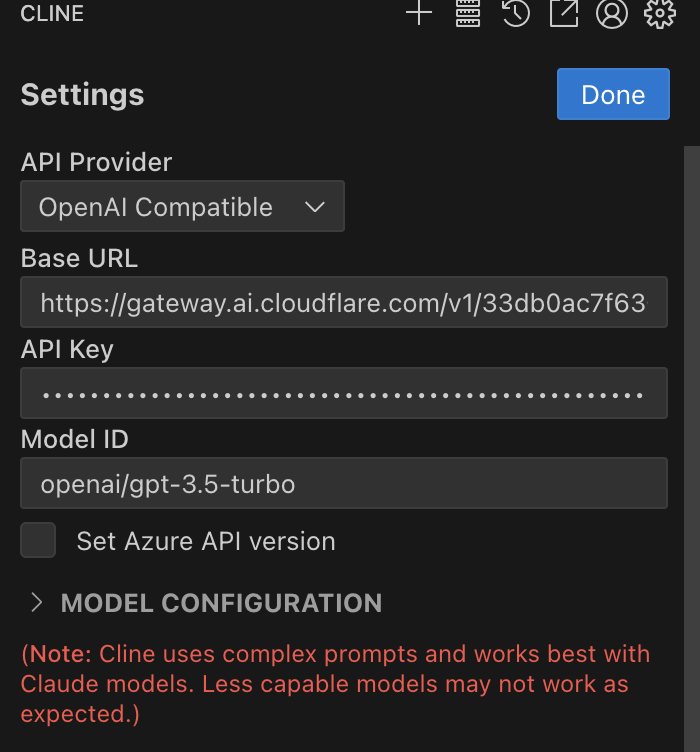
new task then ask 'what time now'
open AI Gateway logs
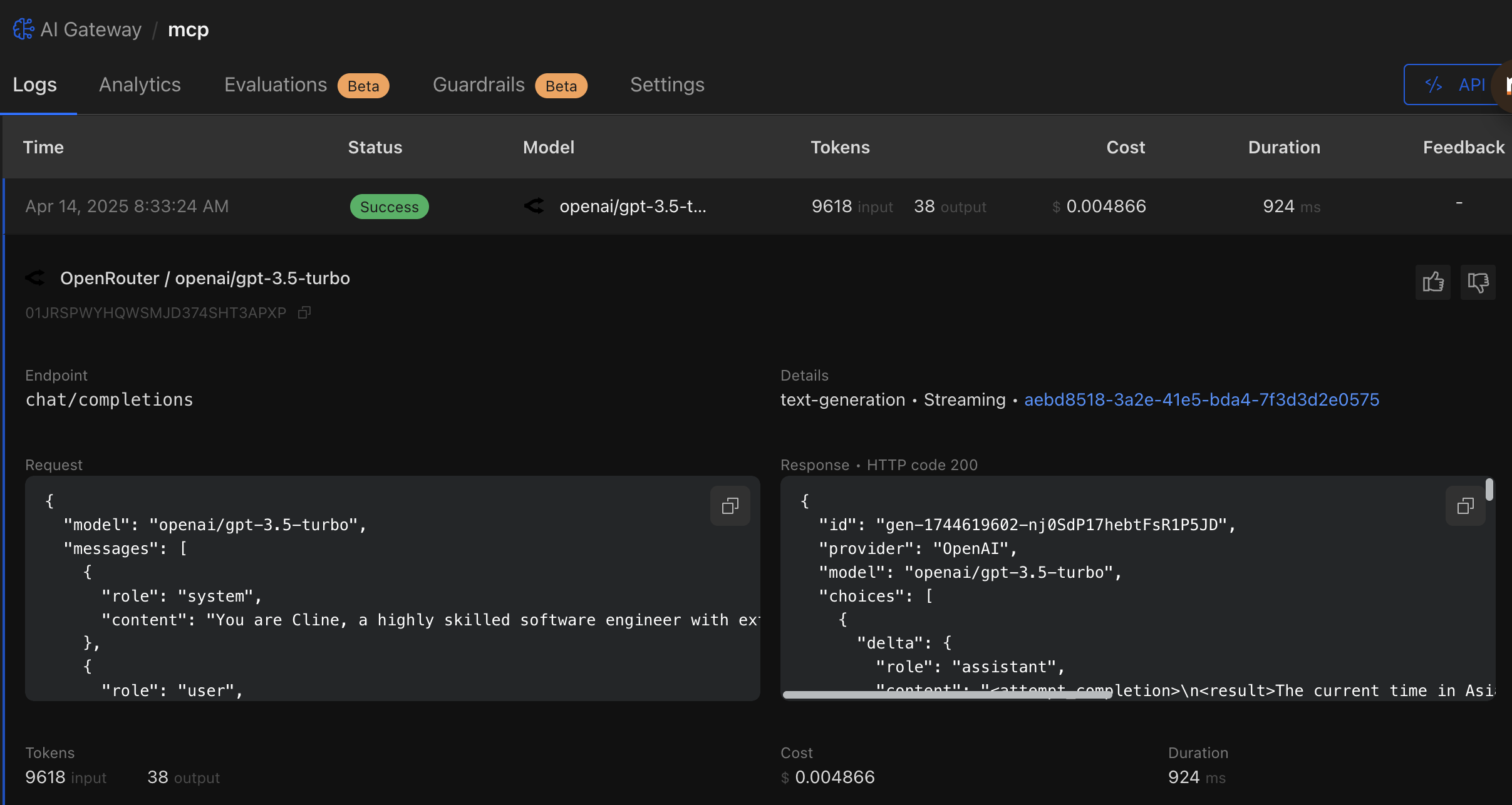
copy Request logs, you will find it in system prompt
You have the ability to create an MCP server and add it to a configuration file that will then expose the tools and resources for you to use with `use_mcp_tool` and `access_mcp_resource`). The documentation provides detailed information about the MCP server creation process, including setup instructions, best practices, and examples.
copy Response logs, OpenAI give your answer is use the use_mcp_tool tood
"<thinking>\nThe user wants to know the current time. I can use the `use_mcp_tool` tool to get the current time in the Asia/Shanghai timezone.\n</thinking>\n\n<use_mcp_tool>\n<server_name>github.com/modelcontextprotocol/servers/tree/main/src/time</server_name>\n<tool_name>get_current_time</tool_name>\n<arguments>\n{\n \"timezone\": \"Asia/Shanghai\"\n}\n</arguments>\n</use_mcp_tool>"
# process
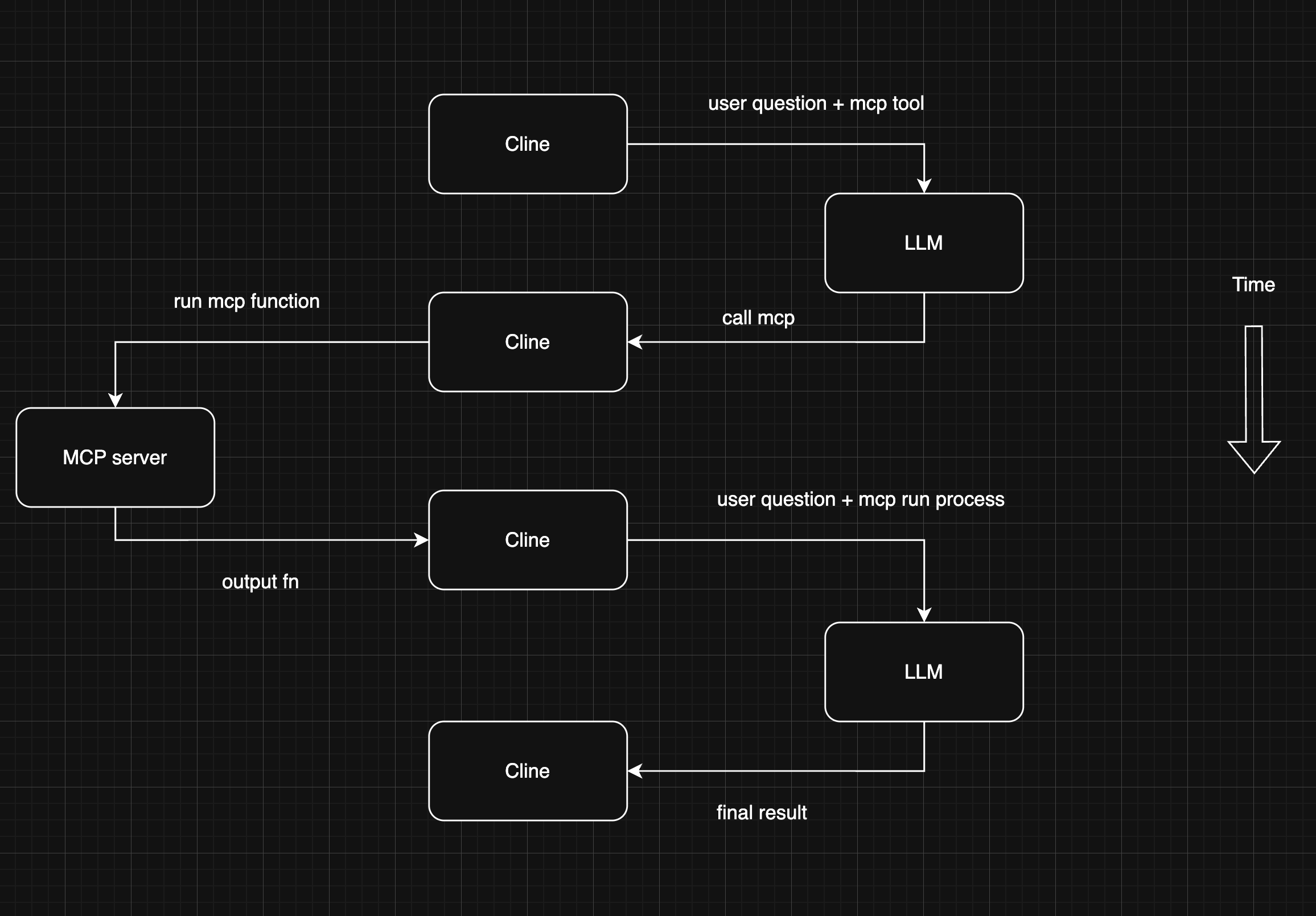
# Function Calling vs MCP
| Feature | Function Calling | MCP |
|---|---|---|
| Purpose | Converts user prompts into structured function calls. | Standardizes execution and response handling. |
| Who Controls It? | LLM provider | External system handling LLM integration. |
| Output Format | Varies by LLM vendor (JSON-based). | Uses a standardized protocol (e.g., JSON-RPC). |
| Flexibility | Different models structure calls differently. | Ensures interoperability across multiple tools. |
# other
origin news (opens new window)
introduction mcp (opens new window)
mcp VS function calling (opens new window)
https://smithery.ai/ (opens new window)
time mcp ofgithub (opens new window)
https://github.com/astral-sh/uv/ (opens new window)
if you had Apple could not verify “uvx” is free of malware that may harm your Mac or compromise your privacy. open Mac Setting pravicy & security click allow anyway
← AI local